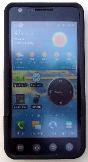
| . . . . . Olive Office Premium is free, and I did try XLS and XLSX files, and XLS on Excel 2003 as well as 2007 . . . . . Documents to Go for the Android (but I can find no fee trial), but I loved it on the PalmPilot . . . . . QuickOffice for the Android which does have a free 7 day trial, but cannot load from a google documents account, and some functions may not work, such as TEXT when they work in Documents To Go, and in Excel. I.E. purchase Documents To Go which can load from Google Docs AND it supports the functions properly. |
| ILLUSTRATING SHADOWS focusing on education and interesting practical aspects of sundial design |
| a2.10 meridian polar hour-calendar.xls a2.11 daily declination.xls a2.12 equatorial calendar radius.xls a2.13 armillary calendar line distances.xlsa2.2 suns LHA.xls a2.3 long-to-time.xls a2.4 julian days.xls a2.6 time-zones.xls a2.9 mag to true.xls a3.2 ceiling data.xls a4.1 suns altitude.xls a4.2 suns azimuth.xls a4.3 analemmatic dial.xls a4.4 calendar curves.xls a6.3 sunrise set EOT~Lat.xls a6.4 sunset and italian lines.xls a9.9 graph hour lines.xls |
| Small spreadsheets that work in the free version of e-Droid-cell Light 00aDroidAlmanac.xls Feb 17, 2012 31aDroidHdial.xls Jan 23, 2012 31aDroidVdial.xls Jan 23, 2012 51aDroidvDec.xls Jan 23, 2012 Small spreadsheets that work best in Documents to Go but may be too big for e-Droid-cell are shown below. a0.0 astro compass.xls Jan 28, 2012 a0.0 unknown dial.xls a0.0 wall-declination.xls a1.1 trig.xls a2.1 EOT astro mini.xls a2.1 EOT astro.xls definitely not ok on Android a2.1 EOT other.xls |
| A collection of spreadsheets ready for Documents To Go or e-Droid-cell |
| Fun for the Android |
| Illustrating Time's Shadow ISBN 0-9765286-8-1 plus 0-9765286-9-X Lib Cong 2005900674 plus 2006930654 Merges Illustrating Shadows and Illustrating More Shadows, deletes duplicated material, and techniques that are complex and replaced by easier methods, adds new material. Hands on, empirical, geometric, trigonometric, CAD, and spreadsheet dial design for small dials plus garden dials using common masonry supplies, clay, and glass, with emphasis on many calendar line techniques, and inclined decliners, while providing details on the use of DeltaCAD programming including the animation of many sheets as parameters vary. Case studies abound with associated problems solved, and cover the infamous inclined decliner, as well as all the other kinds of outdoor dials. The printed book comes with a CD of booklets, spreadsheets, VRML/WRL files, templates, etc with the printed book. The CD has all books and booklets and programs along with source code. You can get the printed book and CD, just the CD, or an online download here. |
| Check the CASIO fx-9860G Slim graphing calculator here. Check the Original PalmPilot here |
| Fun for the diallist using an Android or iPhone:- try these turboViewer files for the free turboViewer app, some are 2D, and some are 3D which you can manipulate and rotate. There is a free viewer as well as more advanced purchased ones, search Turboviewer in your app store. April 21, 2012 |
| Excel for the Android (great on the PC too !) e-Droid-cell is best bet |
| No free trial means I have not tested this, but I did love it on my PalmPilot. However, unlike QuickOffice, it can load from Google Docs, and, all functions work. THIS IS WORTH CONSIDERING. |
| I could not get it to work, and the manual did not say what codes such as "NaN" meant, nor why saving a simple modified sheet caused a "1003" error, other than meaning it could not open a file. I wanted a free application that could open existing files, so this was disappointing. Emails to tech support were not answered. I WOULD NOT RECOMMEND THIS. So continue reading.below. |
| Apr 21, 2012 |
| You can copy files using the USB cable to the Android. BUT some functions do not work, such as TEXT which some spreadsheets use for day of the year work. AND some errors happen when data is changed, and the reasons are not obvious, nor are there any clues. I have modified some spreadsheets that use TEXT so that if you have this spreadsheet that came free with some of the Androids, you may use this product. I WOULD NOT RECOMMEND THIS. |
| ... OR ... |
| The illustrating-shadows.xls spreadsheets have been reworked for PDAs, specifically the Android (and PalmPilot) . . . . . e-Droid-cell Light for the Android which is free for the lite version, and there is an upgrade to the Pro version also. download e-droid-cell, it is free, but feel free to buy the upgrade. This works, and works well. |
| (1) Copy the sundial spreadsheet files to the Android using the USB cable to [my GDocs] or some other folder (2) Open e-Droid-cell (3) scroll the opening screen to [my GDocs] or some other folder (4) open a spreadsheet To alter something, such as a Julian day or a latitude, etc (1) tap the cell (2) then tap the data in the pop up cell window which then brings up a keyboard (3) then enter new data (4) tap OK, it then goes to the next cell (5) to get out of edit mode, tap the bottom right blue icon, or, scroll the keyboard down . . .depending on the formulae and complexity, it may or may not recalculate everything, so... (6) then menu (7) then MORE (8) then scrool down to REDRAW which recalculates everything. This spreadsheet works! THIS IS VERY MUCH WELL WORTH CONSIDERING. |
| LG users: To enter a minus number in a numeric field, either... tell it that it is a formula and enter: =-nnn or... tell it is text and enter -nnn |
| Always do a menu, more, redraw worksheet THEN formula errors in order to ensure correct values. |
| Only the PRO version of e-Droid-cell allows multiple wosksheets within a spreadsheet. |

| SPREADSHEETS TO USE |
| Tools for the Android |
| Useful tools for the diallist using an Android:- 1. SPIRIT LEVEL PLUS (also free) by Androidka The calibrate function works better than for other spirit levels I have tried. 2. Compass Pro by Mobile Essentials A bit more functional than other compasses I tried 3. a clock widget I have the Calendar and Calculator on the same page as these tools, as well as the weather. Always ensure you calibrate the compass and spirit level. Test any tools you use to make sure they work for you and on your cel phone. Similarly, test the spreadsheet you decide to use especially to see if it updates automatically, or whether you must tell it to redraw, and if you must redraw, see how many times you must have it redraw so all formulae are recalculated. |